ZeroTier, your boat on your phone
When I'm not on board, being able to reach the boat's information is a big advantage, both in port and at anchor. ZeroTier is a great tool that makes it possible: securely, for free and without too much complexity.
1. What ZeroTier is
ZeroTier is a private network between your devices. You install the client on each one, join them all to the same network and they stay connected wherever they are: the boat in port, the laptop at home, the phone with coverage. No opening ports on the router, no fixed IP and no classic VPN with certificates that expire.
Before going on, one thing worth being clear about: all of this needs internet on board. ZeroTier doesn't create that connection, it uses it. Today there are several ways to have it on the boat: the marina wifi when there is one, a 4G/5G router with its SIM card, the phone's connection shared, or a terminal like Starlink. Without internet on board, no private network can do anything.
In port, many people make do with whatever wifi there is. But that router isn't yours and you can't touch its configuration. At anchor there's no marina wifi to connect to, although there may be mobile coverage. With ZeroTier you don't depend on the marina wifi or on anyone's network.
It works at layer 2, like a virtual Ethernet cable: it hands out its own IP addresses to each machine, as if they were plugged into the same switch. Almost everything that already works on the LAN works the same here, except what depends on multicast: .local names and automatic device discovery.
Two pieces it's worth not confusing. ZeroTier One is the client on each machine (current version, 1.16.x). Central is the web console where you register the devices, authorise them and decide who gets in.
The doubt that comes up most: ZeroTier is not a tunnel that goes through their servers. The control plane — which devices there are, who is who, the rules — lives in their cloud, but the data traffic goes encrypted and direct between the devices when the network allows it.
2. Creating the free account
Signing up today goes through the new console, at central.zerotier.com: email and password, and you confirm the email. Inside it asks you for three names, and only the third one is optional.
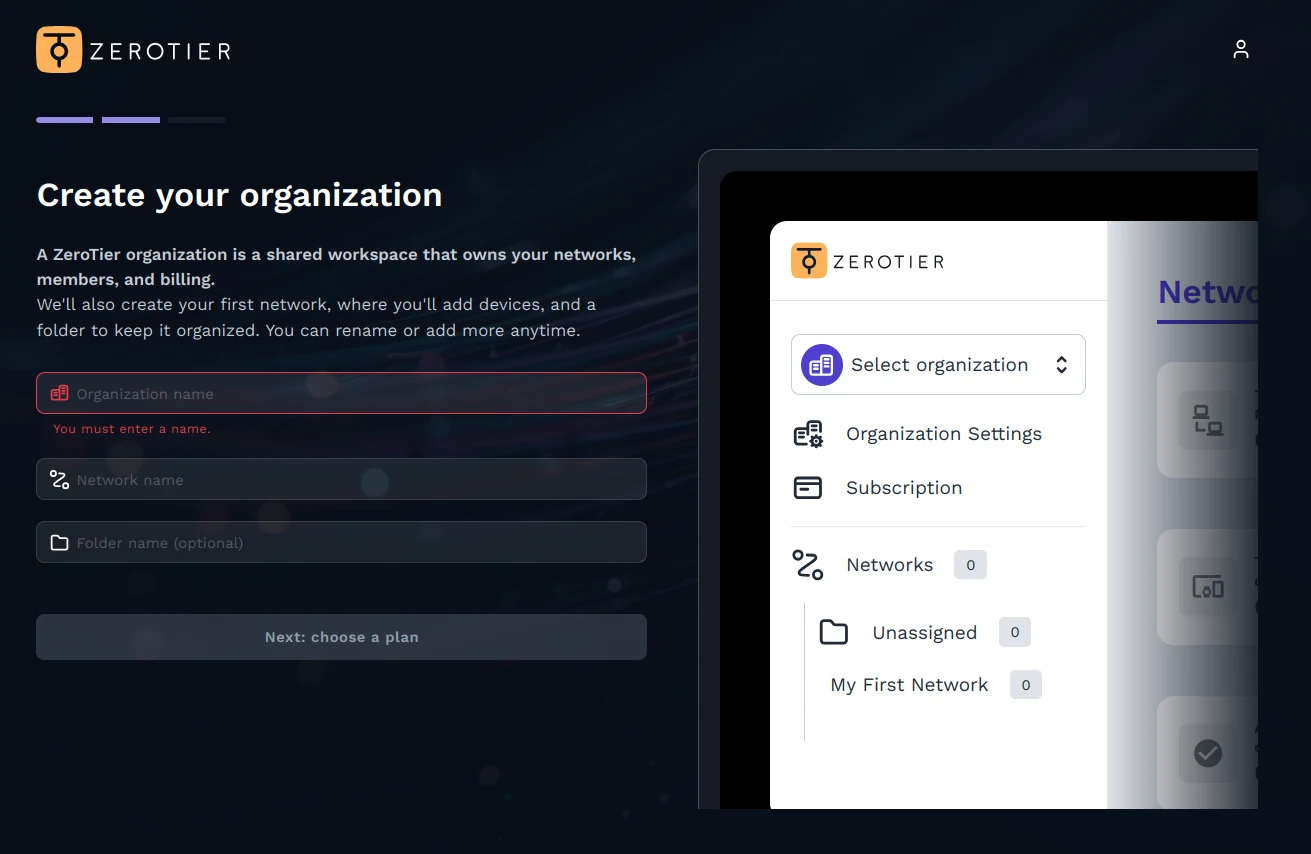
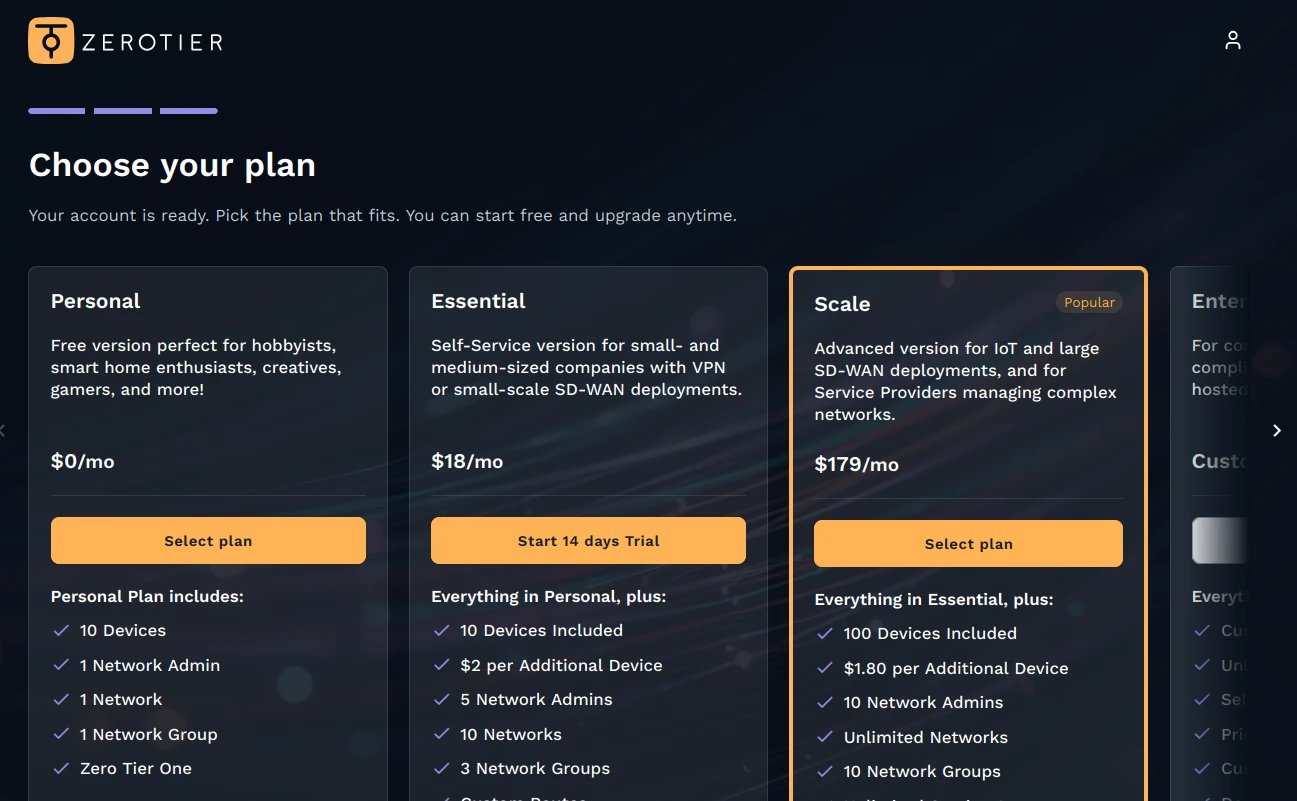
The Personal plan is the one needed here: free, no card, with 10 devices, one network and one administrator.
You create the network — mi-red will do — and the console gives you back a 16-character identifier: that's what you'll paste on each machine. If it changes, for the devices it's another network.
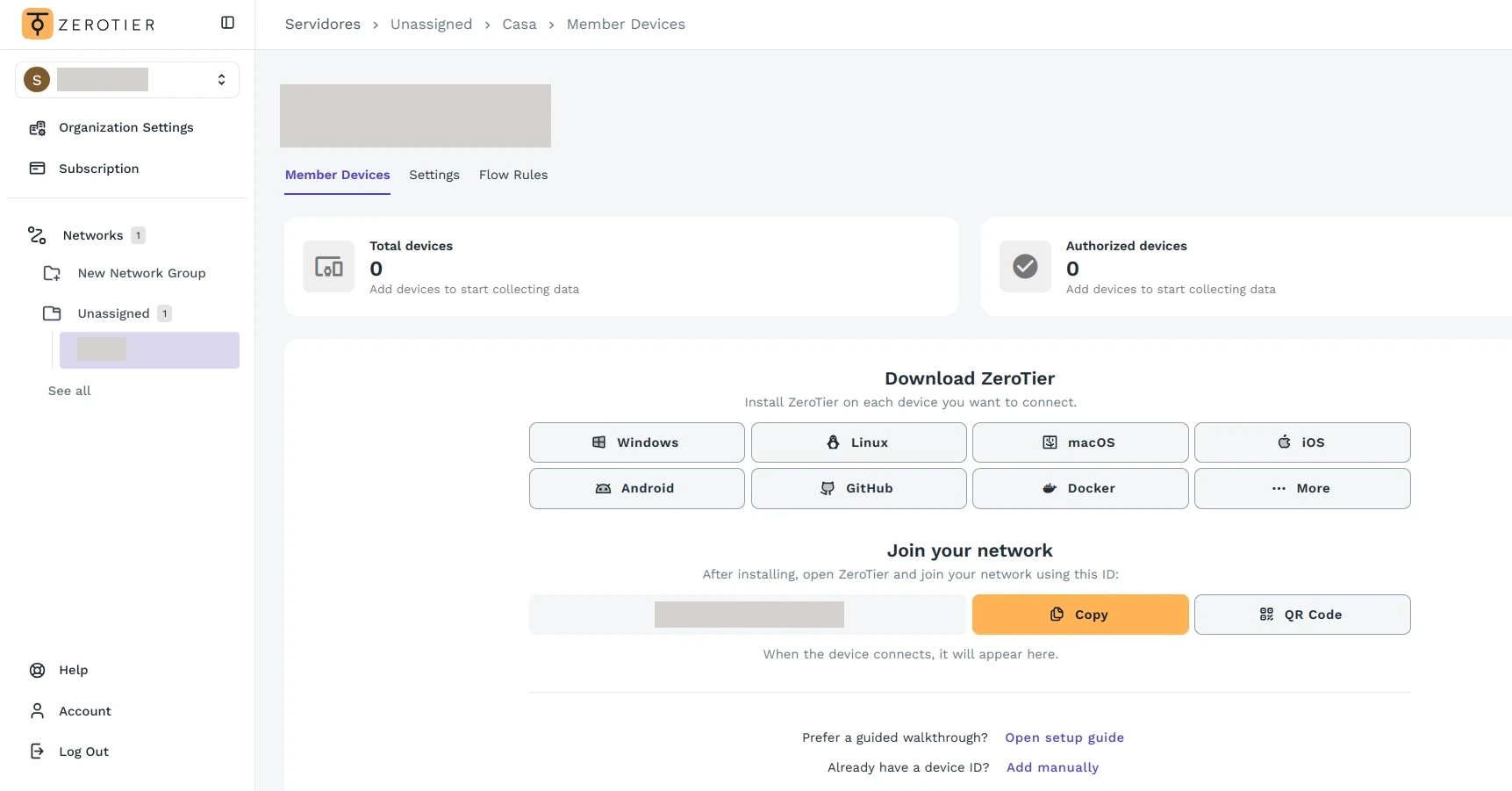
The new console launched in November 2025; anyone with an older account is still on the old one (my.zerotier.com), with its previous allowance — 25 devices in most cases — and free routes. The client is the same on both. We'll look at the old one in part 2.
3. Installing on the Raspberry (or any Linux)
On the boat the machine doesn't move and I want it to start on its own after a power cut. On Linux, the clean way is the official repository:
curl -s https://install.zerotier.com | sudo bashIt installs the client and leaves the service enabled: it starts with the system. To check that it's alive:
sudo zerotier-cli infoIt should answer 200 info <node> 1.16.x ONLINE. If it says OFFLINE, the client hasn't got out to the network: check the connection.
To join:
sudo zerotier-cli join <network-ID>On Linux, zerotier-cli needs root; hence the sudo. A 200 join OK doesn't mean you're in yet: the machine stays pending authorisation, and that's section 5.
It works the same for Windows, macOS, iOS and routers (OpenWrt and similar): the installation changes, the join is identical.
4. The app on the phone
You install the official app, paste the identifier and hit connect. When you turn it on, Android warns that it's going to set up a VPN: that's the normal permission so that the traffic goes through the private network. Without accepting it there's no connection, and the warning repeats on every activation.
A limitation worth knowing: ZeroTier's official website only links to Google Play for Android, and the app isn't on F-Droid or IzzyOnDroid. Without Play Store there's no official way; the mirrors with the APK can't be trusted and building it is beyond this article. The boat's tablet has Play Store, so there's no problem there.
5. Approving the devices
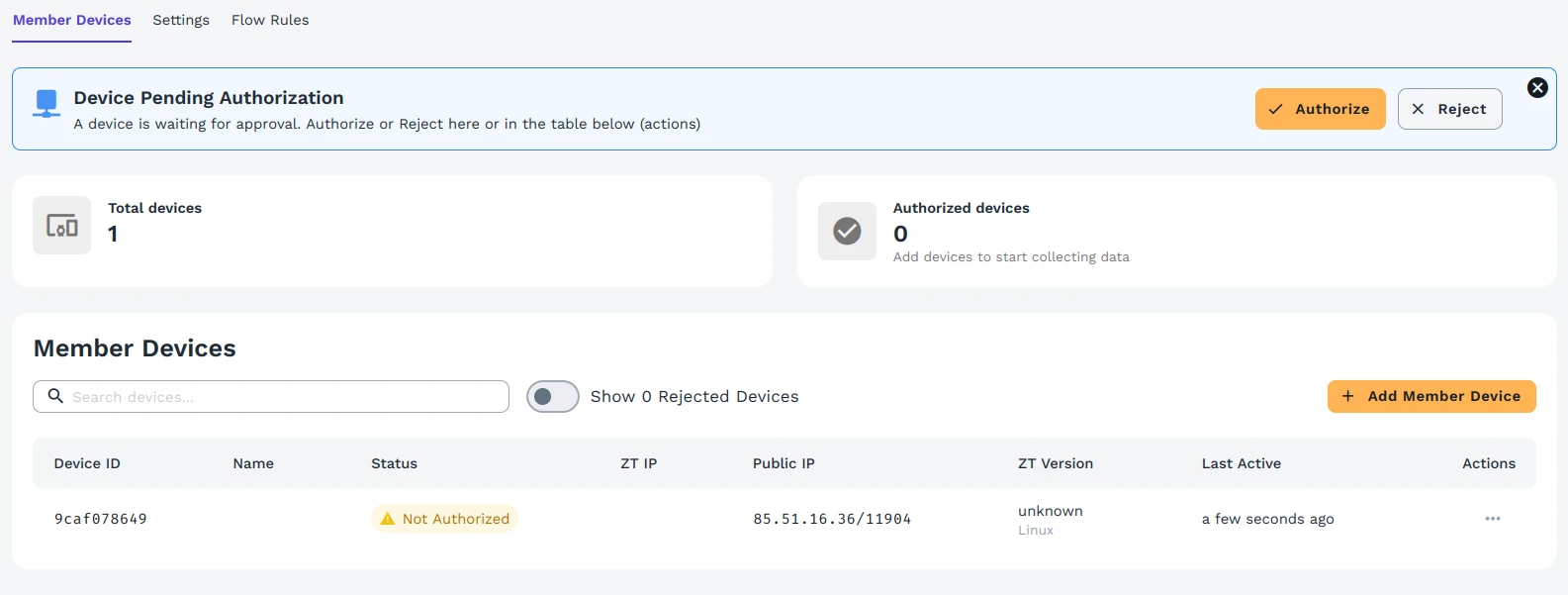
A machine that joins stays pending until you authorise it: it shows up in the member list as unauthorised and not a single packet gets through. You approve it from the three-dot menu in the new console; in the old one it was a checkbox. If the machine says ONLINE and there's no way to reach it, this is the first place to look.
6. The first test
The test that counts: turn off the phone's wifi, leave it on mobile data and open the panel by its ZeroTier address, http://<device-IP>:3000. The 3000 is the port Signal K brings from the factory and it's public. If it loads as it does at home, you're done.
If it doesn't load, in order: that zerotier-cli info says ONLINE; that the machine is authorised; that the IP is the ZeroTier one and not the one of the boat's LAN; and that the service listens on all interfaces, not only on localhost.
And the two traps that cost me half an hour each:
.localnames don't cross. They're resolved by multicast inside the LAN, and that doesn't travel over this network. You have to use the ZeroTier IP, not the name that works on the boat.- ZeroTier gives you the network, not the key. If the service asks for a username and password — Signal K does on some routes — it will keep asking. The network takes you to the door; the credentials are another matter.
With this I have Signal K, the anchoring alarm, the charts and the boat's panel on my phone from anywhere with coverage. In part 2, how to reach the devices that don't run ZeroTier too: the router and the rest of the boat's LAN.